The internet has made shopping, banking, learning, and communication easier than ever. Unfortunately, it has also given cyber criminals new ways to trick people through fake websites. These websites are designed to look trustworthy while secretly collecting personal information, passwords, or payment details.
What makes modern scam websites dangerous is how realistic they appear. Many copy the design and branding of legitimate businesses so well that users may not notice anything unusual. Fortunately, there are several warning signs that can help you identify fake websites before sharing sensitive information.
Think About How You Reached the Website
One of the first things to consider is how you arrived at the site. Many online scam sites attract visitors through unexpected emails, text messages, social media advertisements, or direct messages.
Scammers often create urgency by claiming that your account needs verification or that you have won a special offer. Instead of clicking such links, visit the company’s official website directly through your browser. This simple habit can help you avoid many online scammers and reduce the risk of exposing your personal information.
Examine the Domain Name
A website address can reveal a lot about its legitimacy. Cyber criminals frequently create domains that closely resemble real brands, therefore, verify the domain names carefully.
Look for warning signs such as:
- Misspelled company names
- Extra numbers or symbols
- Unusual domain extensions
- Additional words like “secure” or “verify”
Many fake websites rely on users quickly scanning the URL without paying attention to small differences. Taking a few extra seconds to review the domain name can prevent costly mistakes.
Look Beyond the Website Design
A professional-looking design does not guarantee a trustworthy website. Today’s fraudulent websites often use high-quality images, polished layouts, and copied branding materials.
Instead of judging appearance alone, evaluate the quality of the content. Frequent spelling mistakes, poorly written descriptions, outdated information, and broken links can indicate that a website was created quickly for deceptive purposes.
Remember that a website can look impressive and still be a scam.
Look for HTTPS Security
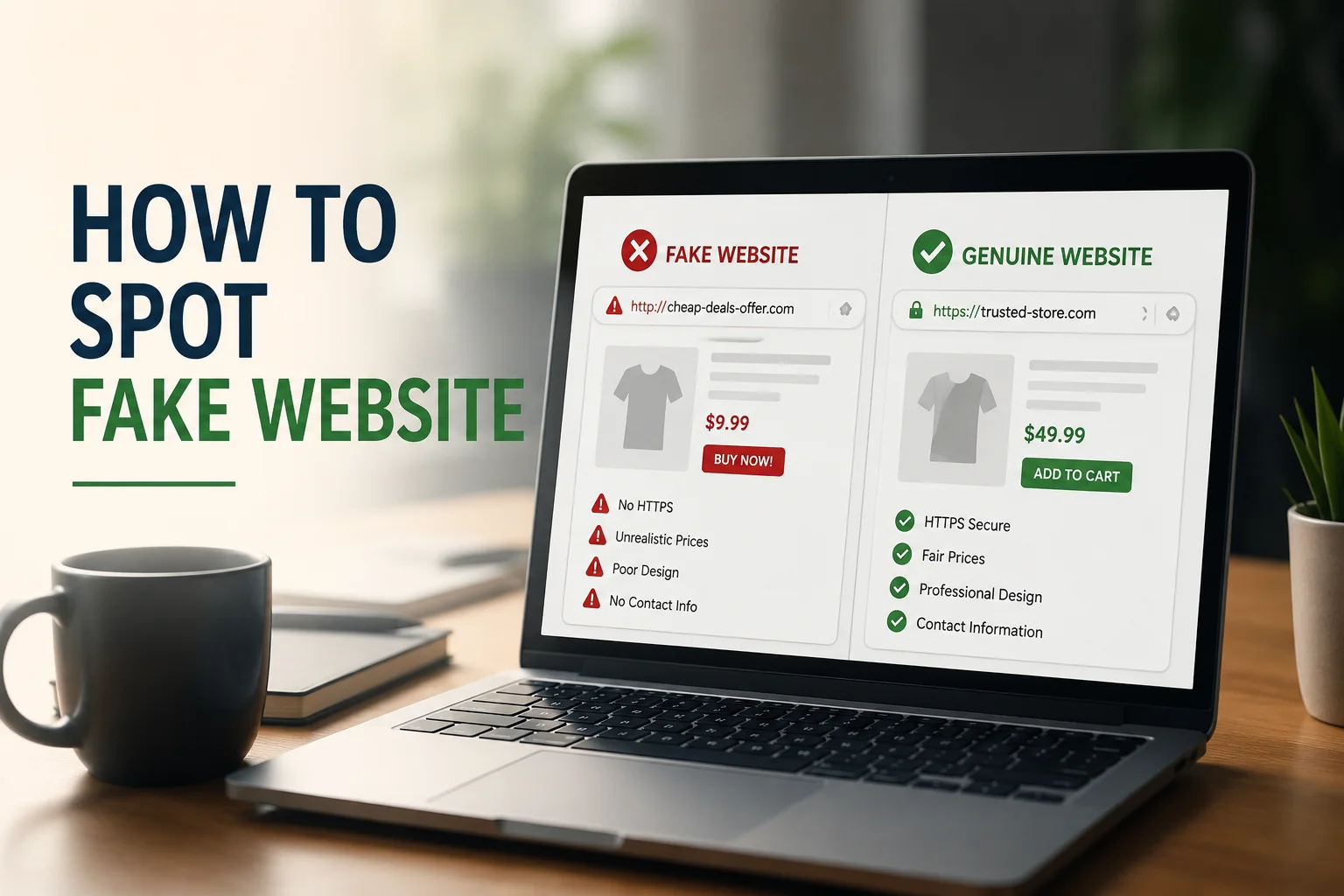
Legitimate websites usually use HTTPS, which helps secure the connection between your device and the website. You can identify this by looking for “https://” at the beginning of the web address and a padlock icon in the browser. If a website lacks HTTPS, avoid sharing passwords, payment details, or personal information.
Verify the Company’s Online Presence
Legitimate businesses usually have a presence beyond their website. Before trusting an unfamiliar company, search for its name online.
Check whether it has:
- Active social media accounts
- Customer reviews
- News mentions
- Business directory listings
Many suspicious websites have little or no activity outside their own domain. If you cannot find reliable information about a company elsewhere online, that should raise concerns.
A strong digital footprint often helps distinguish genuine businesses from fake websites.
Review Payment Methods and Security Claims
The payment options offered by a website can provide important clues about its legitimacy. Many fake online stores encourage payment methods that offer little consumer protection, such as cryptocurrency, wire transfers, or gift cards.
You should also be cautious when a site displays security badges or certifications. Some scam websites simply copy these images from legitimate sources. If possible, click the badge to see whether it links to a real verification page.
Trustworthy businesses usually provide secure payment gateways and transparent purchasing policies.
Be Careful With Information Requests
Many phishing websites are designed to collect personal data rather than provide a real service. Before submitting information, consider whether the request makes sense.
For example:
- Does a newsletter need your phone number?
- Does a free download require banking information?
- Does a simple account registration ask for excessive details?
Legitimate businesses generally collect only the information necessary to complete a transaction or provide a service. Excessive requests can be a major warning sign.
Check the Website’s Age
One lesser-known technique for identifying fraudulent websites is checking when the domain was registered. Many scammers create websites for short-term campaigns and abandon them once they are exposed.
Free domain lookup tools can show how long a website has existed. If a company claims to have years of experience but its website was created recently, you should investigate further.
While a new website is not automatically suspicious, domain age can provide valuable context when evaluating unsafe websites.
Final Thoughts
As cyber threats continue to evolve, learning how to recognize fake websites is an essential digital skill. A convincing design alone is no longer enough to prove legitimacy. By examining domain names, verifying online reputations, reviewing payment methods, and questioning unusual information requests, you can make safer decisions online.
The best defense against misleading sites is careful verification. Spending a few extra minutes checking a website today can save you from identity theft, financial loss, and unnecessary stress tomorrow.