How to Create, Arm and Record a Track in REAPER
REAPER gives you a complete recording studio for a fraction of what the big DAWs cost. It also opens on a flat gray window that tells you nothing about where to begin. This is how to record in REAPER, from empty project to finished take.
Step 1: Create a track
The panel running down the left-hand side is your track list. It starts empty. Double left-click anywhere in that area to make your first track.
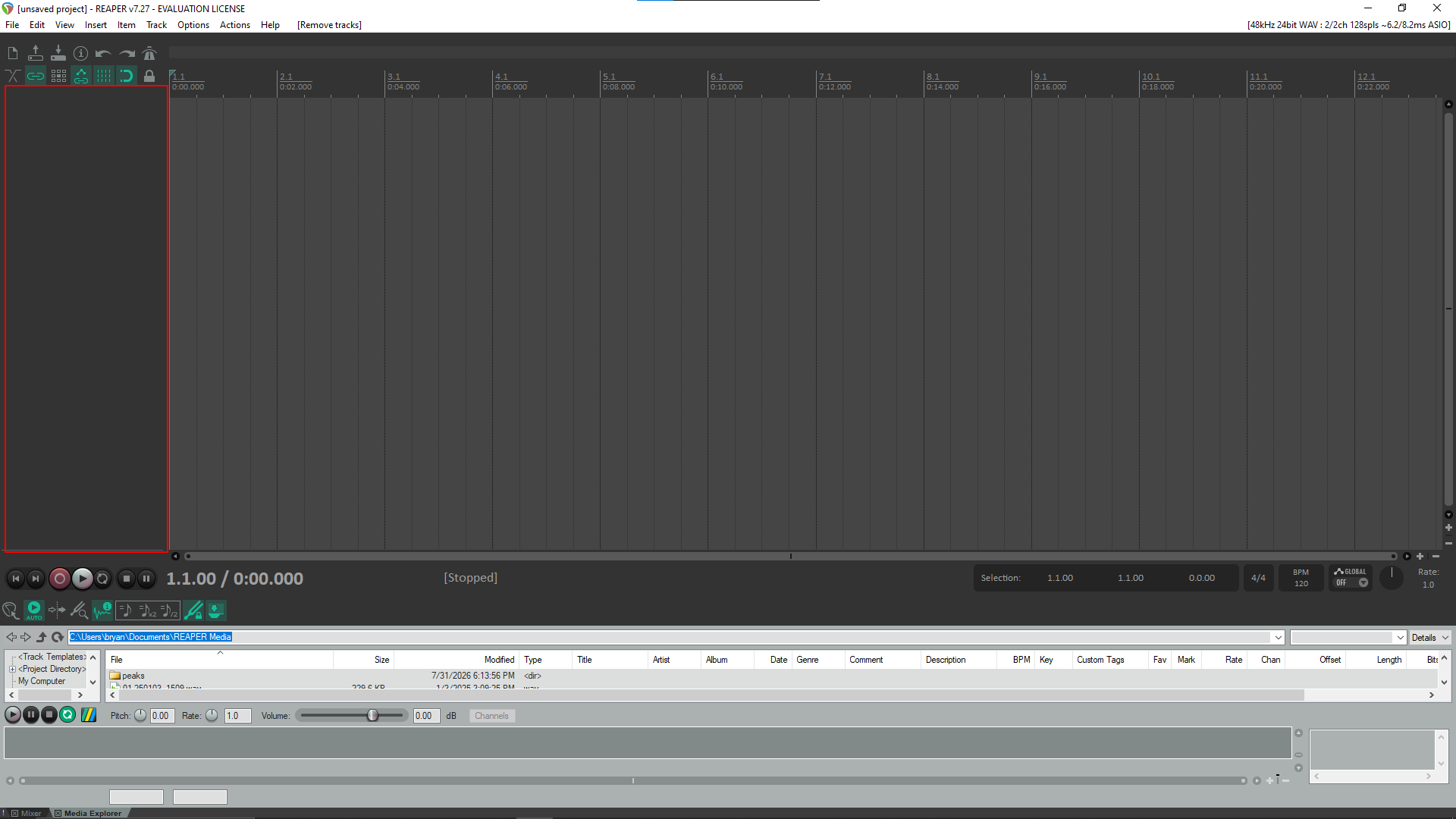
Step 2: Your first track appears
A new track shows up at the top of the list, numbered 1 and unnamed. Double-click the name field to call it something useful.
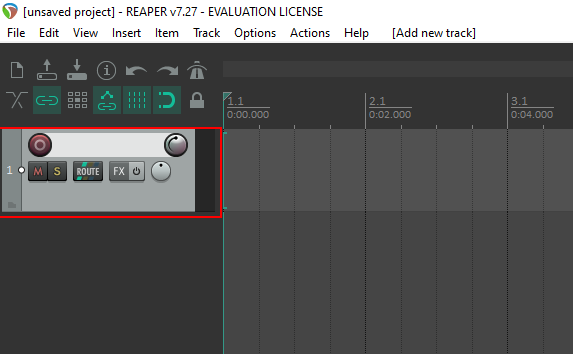
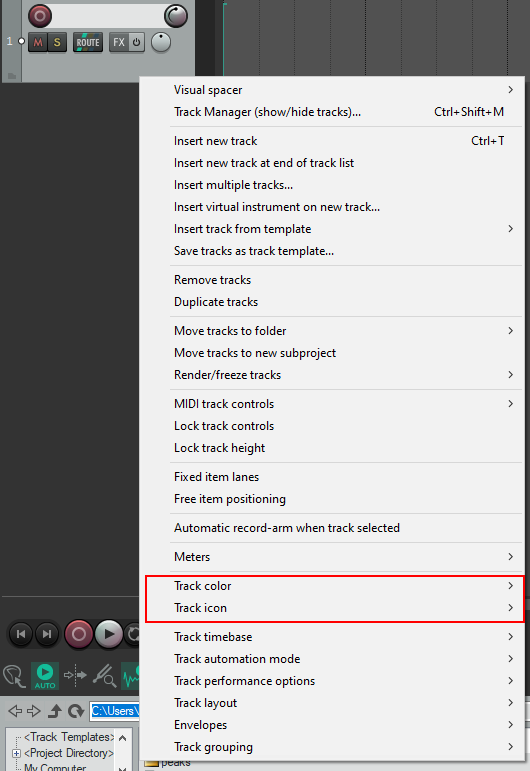
Step 3: Give it an icon and a color
Optional, but worth thirty seconds. Right-click the track panel and you will find Track color and Track icon. Neither changes your sound. What they change is how fast you find things once a project has fifteen tracks in it you identify a part by looking instead of soloing it. This one is a vocal take, so it gets a microphone.
Step 4: The result
Named, colored and recognizable at a glance.
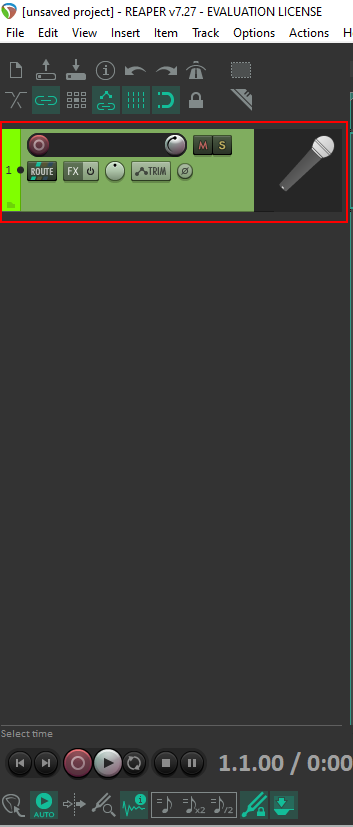
Step 5: Arm the track
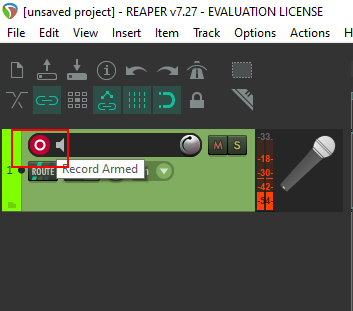
REAPER will not record to a track until you arm it. Click the red circle on the track panel it lights up and the tool tip reads Record Armed. While you are there, check the input drop down beside it is pointing at the right microphone. Recording four minutes of silence because the input was wrong is a rite of passage worth skipping.
Step 6: Hit record
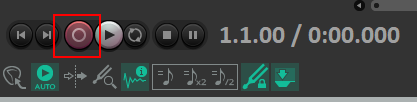
Press the record button in the transport at the bottom of the window, or press Ctrl+R. REAPER starts rolling from the play head.
Step 7: Your take
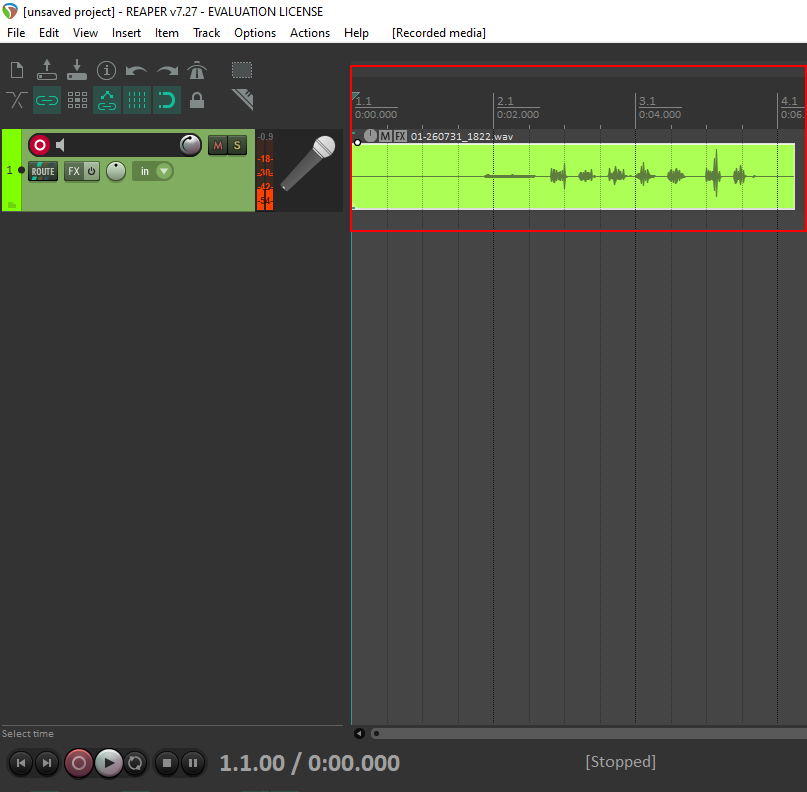
Press the space bar to stop. Your recording appears as a waveform on the track and is written straight into the project folder as a WAV file.
Wrapping Up
That is the whole recording loop: make a track, label it, arm it, record. Every session you ever run in REAPER starts with those four moves, whether you are tracking one vocal or twenty-four channels of drums. Next in this series: sending that track to a reverb bus.
For more walkthroughs of the software you actually use, LearningComputer.com publishes free step-by-step technology tutorials. And if your business needs content that pulls people in the way a good tutorial does, Kash Data Consulting builds SEO and digital marketing strategies that put you in front of the right audience. Get in touch to find out how.